Upscale old photo

Upscale old photos for cleaner prints

Use upscaling after the photo is already repaired or reasonably clean. The goal is a larger, cleaner archive copy that still looks like the original photo.

Framed gifts
Family reunion displays
Cleaner digital archives

Upscaling improves a good source more than a bad one. If scratches or stains are the problem, repair the photo first, then upscale the restored result.

No photo nearby? Try a sample

What to expect before you spend credits

Upload first

Check your scan or sample in the browser before signing in.

Try one preview

Run a watermarked browser preview before sign-in when you only need to judge quality.

Compare and decide

Sign in to save results, continue restoring, download, or remove the watermark with paid credits or Pro.

Before and after examples

Use these sample photos to judge the restoration direction before uploading a family image of your own.

Before
Faded family portrait before restoration
After
Faded family portrait after restoration

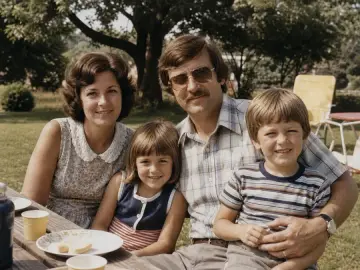
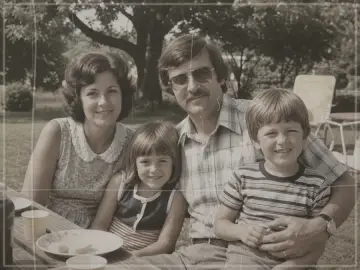
Faded family portrait

This illustrated example shows stronger contrast and clearer faces while keeping the composition and outdoor setting recognizable.

Before
Scratched school portrait before restoration
After
Scratched school portrait after restoration

Scratched school portrait

This illustrated example shows scratches, fold marks, and dust reduced without deliberately restyling the portrait.

Before
Black and white wedding photo before restoration
After
Black and white wedding photo after restoration

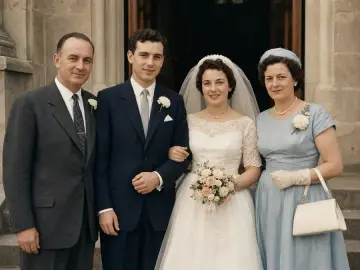
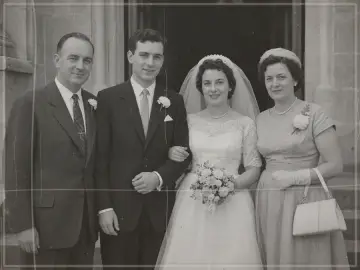
Black and white wedding photo

This illustrated example shows one restrained color interpretation. The original scan remains the historical reference.

Common questions

Is old photo restoration free to try? +

Yes. Each device can try one watermarked preview without signing in. Sign in only if you want to save the result, keep restoring with 3 starter credits, or use paid credits or Pro for a watermark-free export.

What can old photo restoration repair? +

It can reduce fading, weak contrast, scratches, dust, fold marks, grain, and mild blur. It can also colorize a black-and-white photo. Missing faces or large torn areas may be invented rather than recovered, so those cases need extra review.

Which file types are supported? +

Upload a JPG, PNG, or WEBP file up to 10 MB. HEIC is not accepted, so export an iPhone photo as JPG before uploading it.

Will the restored photo change faces? +

It can. AI may invent detail when a face is tiny, blurry, or badly damaged. Compare the eyes, mouth, face shape, age, clothing, and background with the original, and do not keep a result that changes the person.

Can it colorize black and white photos? +

Yes, but the colors are an interpretation. The tool aims for restrained, period-aware tones, yet it cannot know the original color of every dress, wall, uniform, or object. Keep the untouched scan with your family records.